What hiring managers actually look for
An IT support specialist is the first person users reach when a laptop, login, or network connection fails, so hiring managers scan resumes for three things before deciding whether to keep reading:
-
1
Ticket volume and resolution metrics. How many tickets did you close daily in ServiceNow or another help desk ticketing tool? What was your first-contact resolution rate and SLA compliance? Managers run support teams on metrics, so a resume without numbers reads as a resume with weak numbers.
-
2
Technical breadth across common environments. Windows 10/11, Active Directory, Microsoft 365, Microsoft Intune, Azure AD (Entra ID), VPN configuration, DNS, and DHCP all show up in postings. List the specific platforms and tools you have actually supported.
-
3
Customer service temperament. IT support is a customer-facing role. Managers look for evidence that you can explain technical concepts to non-technical users without frustration. Satisfaction ratings, training experience, and communication examples all signal this.
If your resume communicates these things in the first 7-second scan, you'll make it to the detailed read. Everything below is about making that happen.
How to structure your resume, section by section
The order matters. Here's what a strong IT support specialist resume looks like from top to bottom:
1. Contact header
Name, email, phone, location (city + state), and LinkedIn. Keep it simpleno headshot, no full mailing address.
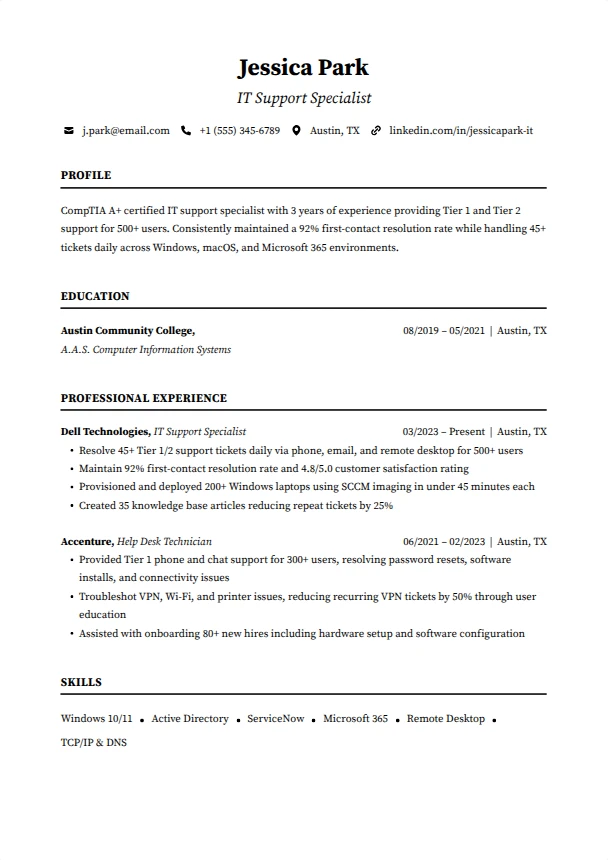
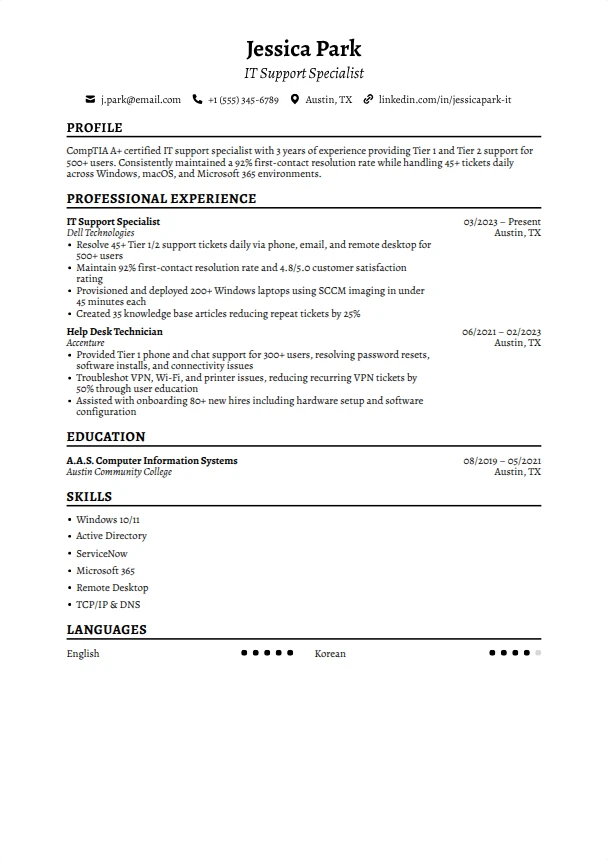
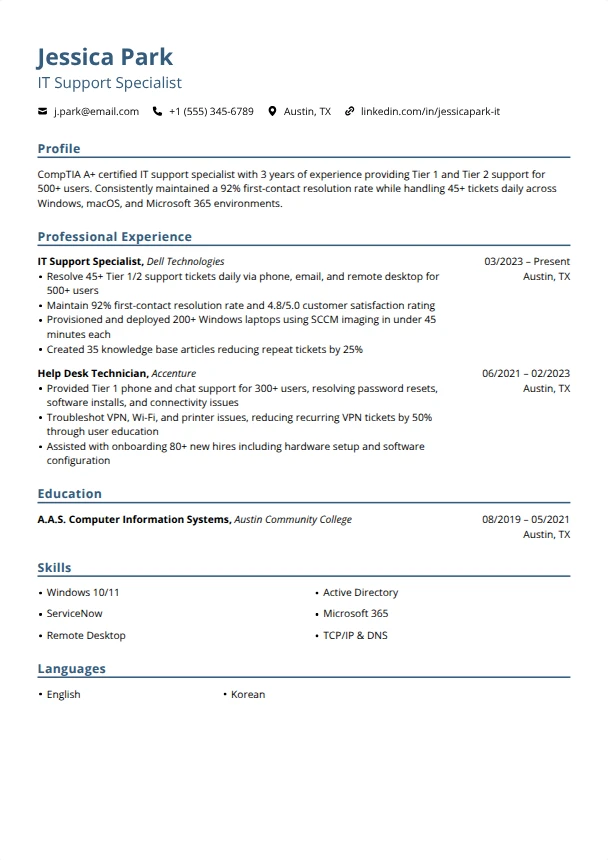
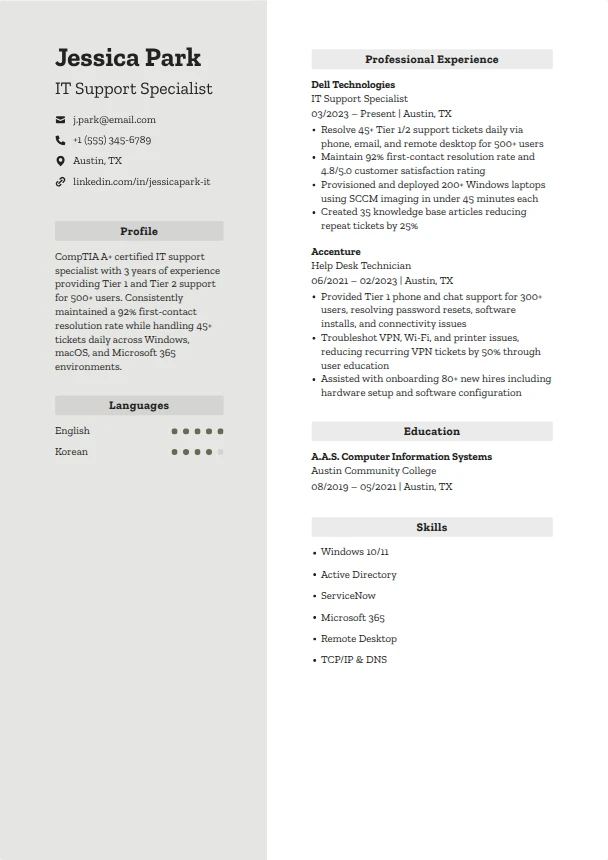
Jessica Park · [email protected] · (555) 345-6789 · Austin, TX
linkedin.com/in/jessicapark-it
2. Professional summary (2-3 sentences)
Your summary should communicate your experience level, the environments you have supported, your strongest ticket metric, and your key certification. Customize it for each application.
Strong: "CompTIA A+ certified IT support specialist with 3 years providing Tier 1 and Tier 2 support for 500 plus users. Held a 92% first-contact resolution rate on 45 plus daily ServiceNow tickets across Windows 10/11, Microsoft 365, and Active Directory environments while keeping SLA compliance above 95%."
3. Certifications
For an IT support specialist, certifications often matter more than degrees. CompTIA A+ is table stakes, while Network+ and ITIL 4 Foundation set you apart. List them prominently near the top.
CompTIA A+ (2024) · CompTIA Network+ (2025) · ITIL 4 Foundation (2025)
4. Technical skills
Group by category. For an IT support specialist, focus on: Operating Systems, Identity and Productivity, Networking, Ticketing Systems, and Remote Support tools.
OS: Windows 10/11, macOS, Chrome OS
Identity and apps: Active Directory, Azure AD (Entra ID), Microsoft 365, Microsoft Intune
Networking: TCP/IP, DNS, DHCP, VPN configuration
Ticketing and remote: ServiceNow help desk ticketing, remote desktop support
5. Work experience
Reverse chronological. Focus on ticket metrics, user counts, and specific improvements you made. Every bullet should answer: how many, how fast, what improved?
Strong: "Provided Tier 1 support for 500 plus users across 2 sites, resolving 45 plus ServiceNow tickets daily via phone, email, and remote desktop support. Held a 92% first-contact resolution rate and a 4.8/5.0 customer satisfaction rating."
6. Education
Degree, school, graduation year. If you do not have a degree, list your certifications, the Google IT Support Professional Certificate, bootcamps, or relevant coursework instead. For IT support, most employers care more about what you can do than where you studied.
Key skills to include
These are the most requested ATS keywords in IT support specialist and help desk job postings. Choose the ones that match your actual experience and mirror the exact spelling from the posting.
Tip: Mirror the exact language from the job posting. If they write "Microsoft Entra ID" instead of "Azure AD," use their term. ATS systems match keywords literally.
Certifications and licenses worth listing
IT support is not a licensed trade, so there is no state license to earn. Industry certifications carry the weight instead. These are the credentials that matter most for an IT support specialist, each linked to its issuing body:
- CompTIA A+ (CompTIA), the entry-level standard for hardware, software, and troubleshooting.
- CompTIA Network+ (CompTIA), proves TCP/IP, DNS, DHCP, and VPN fundamentals.
- Google IT Support Professional Certificate (Google via Coursera), a strong starting credential with no prerequisites.
- ITIL 4 Foundation (PeopleCert, AXELOS), signals you understand SLA management and ticket workflows.
- Microsoft 365 Certified: Endpoint Administrator Associate (Microsoft), proves Intune and Entra ID device management.
Resume summary examples you can steal
Use one as a starting point, then swap in your own technologies, numbers, and achievements. The figures below are illustrative samples, not survey data.
"CompTIA A+ certified IT support specialist with hands-on experience from a 4-month internship supporting 150 plus users. Resolved Windows 10/11, Microsoft 365, and hardware troubleshooting tickets with clear documentation and a focus on first-contact resolution. Eager to bring strong remote desktop support skills to a Tier 1 role."
Why it works: Certification up front, quantified internship, role-specific tools, clear target role.
"IT support specialist with 3 years troubleshooting Windows, Active Directory, and networking issues for a 600-user environment. Escalation point for the Tier 1 team and owner of VPN configuration requests. Cut recurring VPN tickets by 50% through a user education program and DNS configuration standardization."
Why it works: Clear tier progression, environment scale, proactive problem-solving, measurable improvement.
"IT support team lead managing 6 Tier 1 technicians across a 2,000-user organization. Built ServiceNow workflows and SLA management routines that cut average resolution time by 35% and lifted SLA compliance from 78% to 96%. CompTIA A+, Network+, and ITIL 4 Foundation certified."
Why it works: Leadership scope, team size, dramatic metric improvement, relevant certifications.
"Customer service professional moving into IT support with the Google IT Support Professional Certificate and a home lab running Active Directory, Windows Server, and DHCP. Brings 4 years resolving 60 plus customer issues daily, de-escalating conflicts, and documenting processes, skills that transfer directly to help desk ticketing operations."
Why it works: Credential plus home lab demonstrates commitment, customer service experience reframed as IT-relevant.
A fictional sample showing how the pieces fit together. Name and numbers are illustrative, not real data.
Marcus Delgado
IT Support Specialist · [email protected] · (555) 218-4470 · Denver, CO · linkedin.com/in/marcusdelgado-it
Summary. CompTIA A+ and Network+ certified IT support specialist with 4 years of Tier 1 and Tier 2 experience for a 900-user environment. Resolves 50 plus ServiceNow tickets daily at a 94% first-contact resolution rate and keeps SLA compliance above 97%.
Certifications. CompTIA A+ · CompTIA Network+ · ITIL 4 Foundation
Technical skills. Active Directory, Azure AD (Entra ID), Microsoft 365, Microsoft Intune, Windows 10/11, ServiceNow, TCP/IP, DNS, DHCP, VPN configuration, remote desktop support, hardware troubleshooting.
Experience: IT Support Specialist, Northgate Logistics (2022 to present).
- Resolved 50 plus help desk tickets daily in ServiceNow at a 94% first-contact resolution rate across Windows 10/11 and Microsoft 365.
- Managed Active Directory and Azure AD (Entra ID) accounts for 900 users, including onboarding, group policy, and access reviews.
- Standardized VPN configuration and DNS troubleshooting steps, cutting recurring connectivity tickets by 40%.
- Deployed and managed 250 plus endpoints with Microsoft Intune and held SLA management compliance above 97%.
Build this layout in minutes with the SmoothApply resume builder.
Writing strong experience bullets
Every bullet point should answer: "What did you do, and why did it matter?" Use this formula:
Before and after examples:
Answered phones and helped users with technical problems.
Resolved 45 plus Tier 1 tickets daily in ServiceNow via phone, email, and remote desktop support for a 500-user environment, holding a 92% first-contact resolution rate.
Set up new computers for employees.
Provisioned 200 plus Windows 10/11 laptops for new hires using Microsoft Intune, completing each setup in under 45 minutes including security policies, Microsoft 365 apps, and user training.
Helped improve the IT knowledge base.
Wrote 35 knowledge base articles covering recurring Active Directory and VPN configuration issues, cutting repeat tickets by 25% and helping new technicians ramp up 2 weeks faster.
Strong action verbs for IT support specialist resumes:
Resolved · Diagnosed · Troubleshot · Deployed · Provisioned · Configured · Documented · Escalated · Imaged · Installed · Migrated · Trained · Supported · Monitored · Updated · Patched · Secured · Onboarded
6 mistakes that get IT support specialist resumes rejected
Not including ticket metrics
IT support runs on numbers. If you do not mention tickets per day, first-contact resolution rate, or SLA management compliance, managers assume your performance was not worth highlighting. Even rough estimates beat nothing.
Writing "provided technical support" without specifics
This is the most common waste of space on an IT support resume. Support for what? How many users? Which systems, Active Directory or Microsoft 365? What was the outcome? Specifics separate a strong candidate from a generic one.
Forgetting to name the ticketing system you used
ServiceNow and other help desk ticketing platforms run nearly every support team, and employers want you to already know one. Always list your ticketing system experience in your skills section.
Burying customer service skills
Help desk is customer service with a technical layer. If you have satisfaction ratings, training experience, or positive user feedback, put it in your bullets, not just in a soft skills list.
Using a two-page resume for an entry-level role
If you have under 5 years of experience, keep it to one page. Help desk hiring managers review hundreds of resumes and appreciate concise candidates who respect their time.
Listing every technology you have ever touched
A 30-item skills section does not impress, it signals padding. List 10 to 15 skills that directly match the posting, such as Active Directory, Microsoft Intune, and VPN configuration. Quality over quantity.
What to do if you have no professional experience
No help desk experience does not mean no resume. Here's how to build a competitive IT support specialist resume from scratch:
Get CompTIA A+ certified
This is the single most impactful thing you can do. It is the industry standard for entry-level IT support and tells employers you have baseline knowledge of hardware troubleshooting, software, networking, and diagnostics. The Google IT Support Professional Certificate is a strong no-prerequisite alternative.
Set up a home lab
Install Windows Server on a spare machine or virtual machine. Set up Active Directory, create user accounts, configure DHCP and group policy. Document everything. This shows initiative and hands-on ability.
Volunteer as IT support
Local nonprofits, schools, and community centers often need someone to fix computers, set up networks, or train staff on software. This is real support experience you can put on your resume.
Reframe customer service experience
Retail, food service, and call center roles all involve troubleshooting, communication, and helping frustrated people. Frame those skills in IT terms: diagnosing problems, following procedures, documenting solutions.
Frequently asked questions
How long should an IT support specialist resume be?
One page. IT support and help desk roles are typically entry-to-mid level. Hiring managers review hundreds of these resumes and appreciate concise, focused candidates. If you cannot fit it on one page, cut the weakest bullets first and keep your strongest ticket metrics.
Do I need a degree to become an IT support specialist?
No. Most IT support postings accept CompTIA A+, the Google IT Support Professional Certificate, or equivalent in lieu of a degree. Experience and certifications carry more weight than education in help desk hiring. A degree helps but is not required.
What is the difference between Tier 1 and Tier 2 on an IT support resume?
Tier 1 handles first-contact issues such as password resets in Active Directory, Microsoft 365 access, and basic Windows 10/11 troubleshooting. Tier 2 handles escalations such as VPN configuration, DNS and DHCP failures, and Microsoft Intune device problems. Be specific about your tier so the hiring manager reads your skill level immediately.
Which certifications should an IT support specialist put on a resume?
CompTIA A+ is the entry-level standard, with CompTIA Network+ and the Google IT Support Professional Certificate strengthening it. ITIL 4 Foundation signals you understand SLA management and ticket workflows, and the Microsoft 365 Certified Endpoint Administrator Associate proves Intune and Entra ID skills. List active credentials near the top of the resume.
What metrics should an IT support specialist include on a resume?
Lead with ticket-driven numbers: tickets resolved per day, first-contact resolution rate, SLA compliance, average handle time, and customer satisfaction score. Bullets like 'Resolved 45 plus help desk tickets daily in ServiceNow at a 92 percent first-contact resolution rate' show you operate on the metrics support managers actually track.
Skip the blank page
Open a complete, filled-in IT support resume in our free builder. Swap in your own details, keep the wording that fits, and download as PDF, free.
Build your IT support resume now
Pick an ATS-friendly template, add your help desk experience, and download a polished PDF in minutes. Free, no account required.
Start Building, It's FreeRelated resume guides
General IT resume for sysadmin, infrastructure, and networking roles.
Full-stack, backend, and frontend engineering roles with code-focused bullets.
Security certifications, threat analysis, incident response, and compliance.
SQL, Python, dashboards, and data storytelling for business stakeholders.
More resume examples: