Indeed resume import
Your Indeed resume,
Your Indeed resume,
in a better template.
Download your resume from Indeed as a PDF, import it here, pick a template, and download PDF or Word. Free account, no watermark, no card.
Free account to save and download. No credit card. Nothing to cancel.
Download
from the three dots on your Indeed resume
PDF + Word
out the other end
$0
no card, no watermark
Indeed Resume and an uploaded resume are two different things on Indeed. Which to use when applying, and why Indeed sometimes rejects a PDF: the full guide.
1
Download your resume from Indeed
Profile, Resume tab, the three dots, then Download. You get a PDF.
2
Import the PDF into SmoothApply
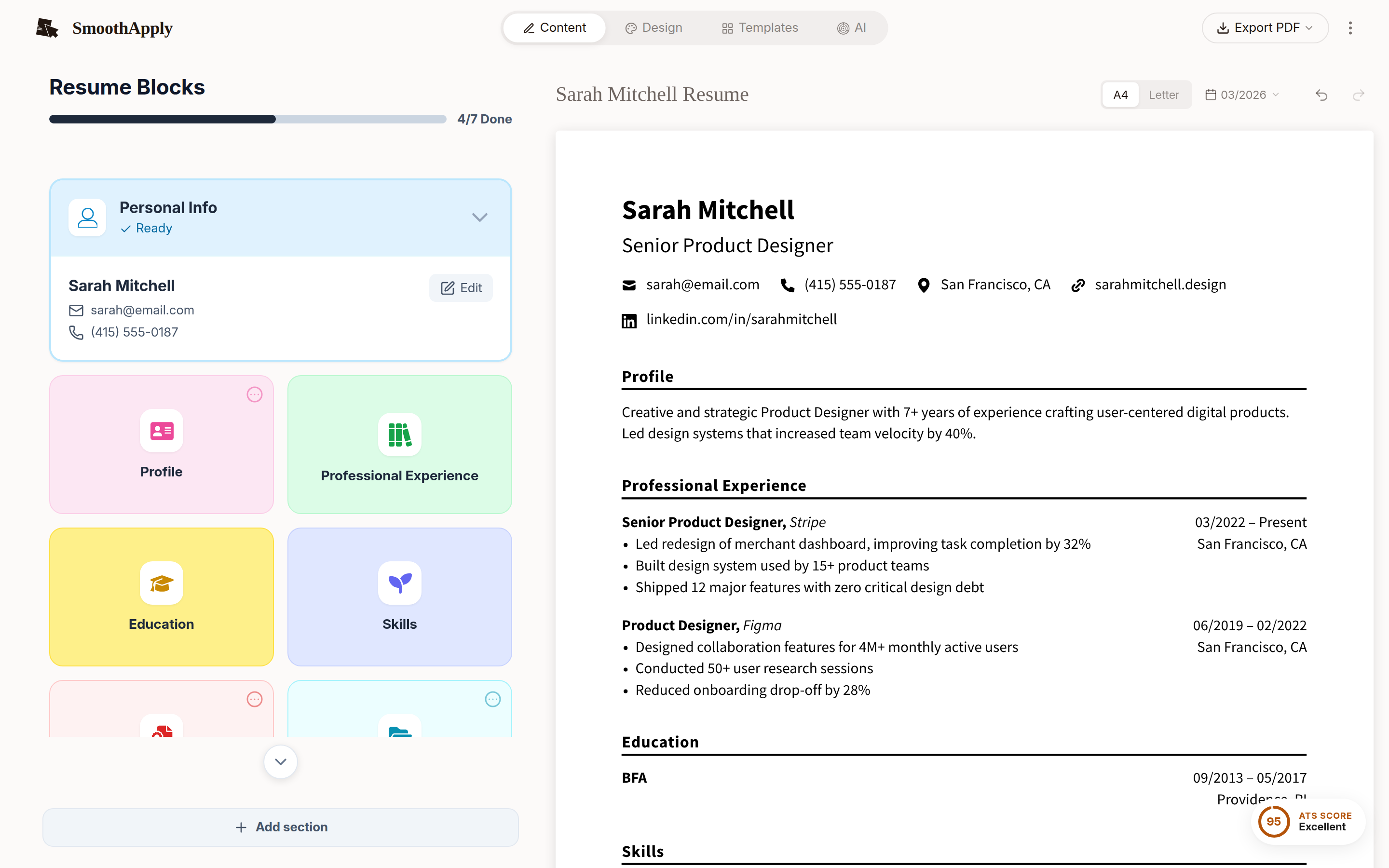
Contact details, experience, education and skills land in the editor.
3
Choose a template
Tidy the wording while you are there.
4
Download as PDF or Word
No watermark, no paywall on the button.
Same resume, better looking.
Upload the PDF Indeed gave you and pick a template.
Import my Indeed PDFQuick answers
How do I download my resume from Indeed?
Sign in, open your profile, go to the Resume tab, click the three dots on your Indeed Resume or your uploaded file, and choose Download. Indeed saves it as a PDF. Those are the steps in Indeed's help article Resume options menu: managing a resume, as of September 2026 (indeed.com/help).
Can I turn my Indeed resume into a nicer looking PDF for free?
Yes. Download the Indeed PDF, import it at smoothapply.com/resume-builder/?start=import, pick a template, and download PDF or DOCX. A free account is needed to download and save, there is no watermark, and no credit card is asked for. The only paid feature on SmoothApply is unlimited AI.
Why will Indeed not let me upload my PDF?
Indeed accepts PDF, DOC, DOCX, RTF and TXT files, but a file that is scanned as an image, password protected, or larger than the limit can fail. Exporting a fresh PDF from a builder produces a text based file that uploads cleanly. Check the current limits in Indeed's FAQ on creating, uploading and managing a resume file, as of September 2026 (indeed.com/help).